

Merge Tactics Stream Overlay Tutorial
Add real-time Merge Tactics player stats to your stream with this simple OBS Studio setup guide. Display live rankings, trophies, and recent match history for your Clash Royale auto battler streams.
Generate Your Stream Overlay Link
OBS Studio Browser Source Setup
Step 1: Add Browser Source
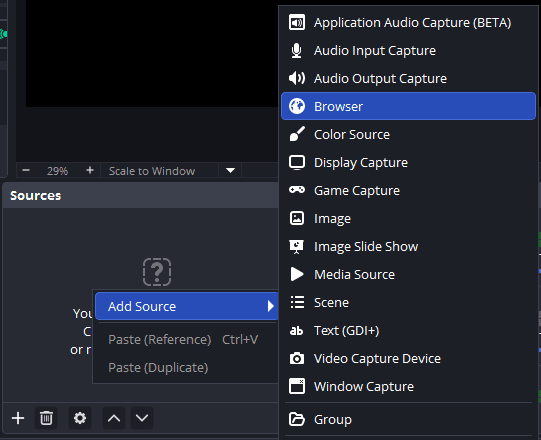
In OBS Studio, right-click in the Sources panel and select "Add" → "Browser Source".
Click to enlarge
Step 2: Configure Browser Source
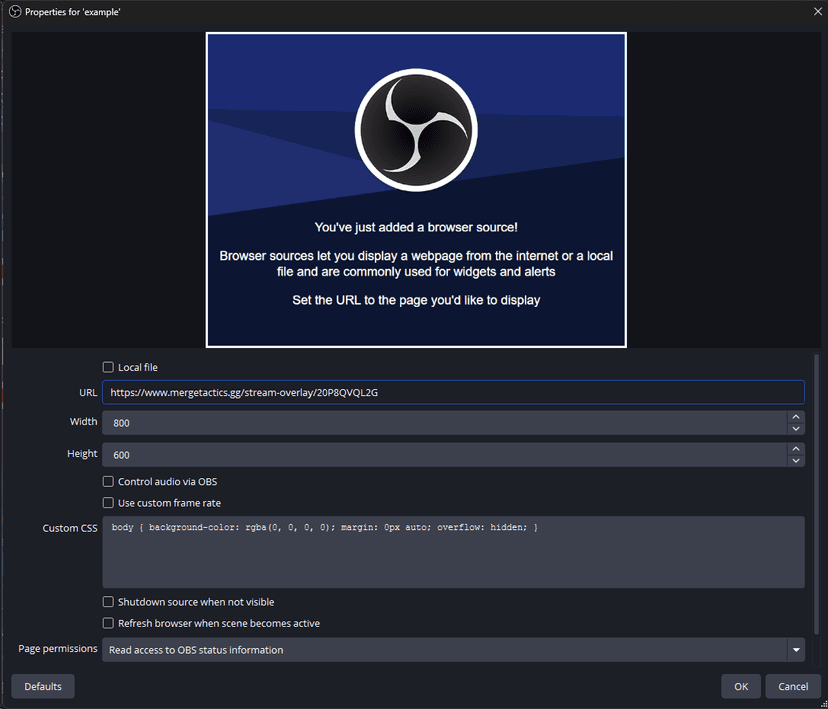
Paste the generated link into the URL field. Make sure "Shutdown source when not visible" is unchecked.
Click to enlarge
Step 3: Result
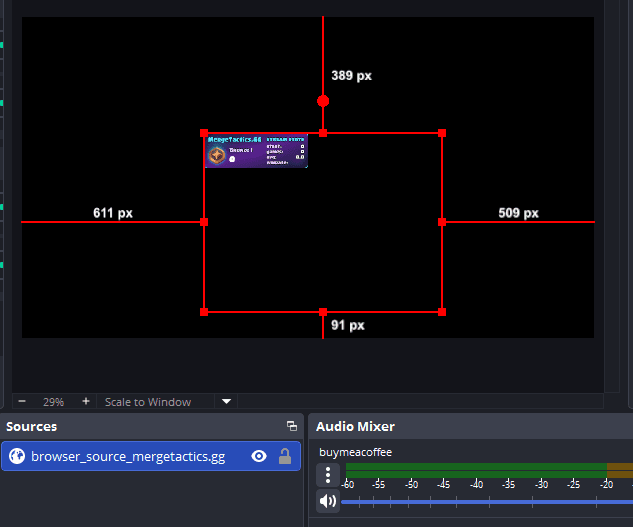
Your stream overlay is now ready! It will display your current rank, trophies, and recent match history.
Click to enlarge
Tips
- • The overlay updates every 5 seconds (there may be additional delays from the Clash Royale API after matches)
- • Find your player tag in-game
- • Leave extra space below the main overlay for the match history that appears underneath
- • Customize colors by adding parameters like &bg1=1e293b&bg2=581c87
&title_text_color=67e8f9&key_text_color=c4b5fd&value_text_color=ffffff
&positive_color=86efac&negative_color=f87171 to the URL